How to take screen shot on PC or laptop (2 methods)
There are two ways of taking screen shot without downloading any software:
Method 1
If you are using windows than it has built in screenshot option.
Step 1
On your key board press PrtScr button. When you press this button you have captured the current screen of your computer. This screenshot will be saved to your clipboard.
Step 2
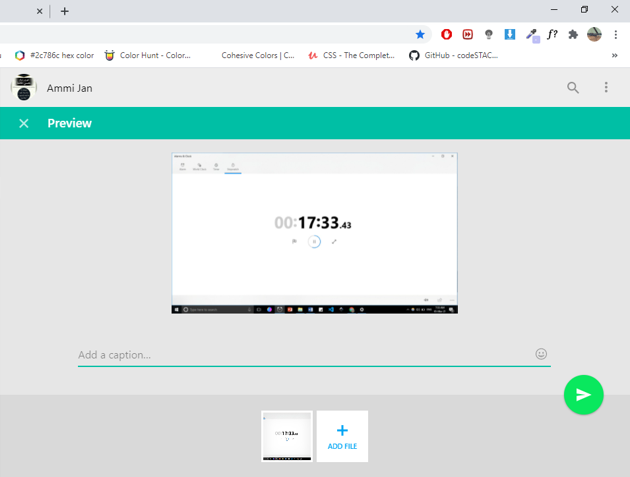
Now you have to paste it somewhere to be able to see that screenshot. You can paste it in WhatsApp web if you want to send it to someone through WhatsApp like this:
Or paste it in paint/Ms Word/Powerpoint or any software in computer that can view image.
In my case I am using paint as it is available in every windows computer by default.
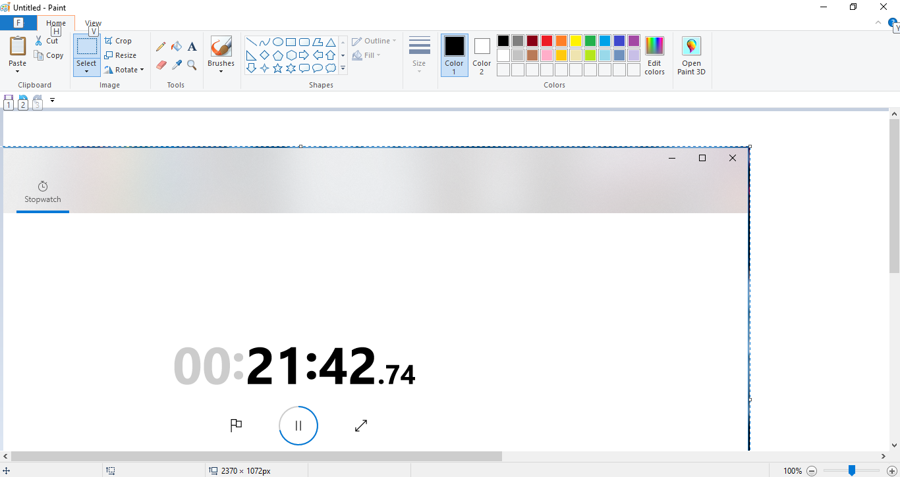
Press ctrl + v or click paste option in paint.
You can resize the screen shot’s size by selecting its corner. If you want to crop the image, you can do so by selecting crop option or by pressing the shortcut ctrl + Shift + X.
In order to save this press ctrl + S and save it wherever you want.
Method 2
This method is very simple. All you have to do is just press window + G on your key board this window will pop the screenshot option (if it does not appear it means you have not turned on Game bar in settings, so you have to do it first. This options allows you to record your screen Learn more)
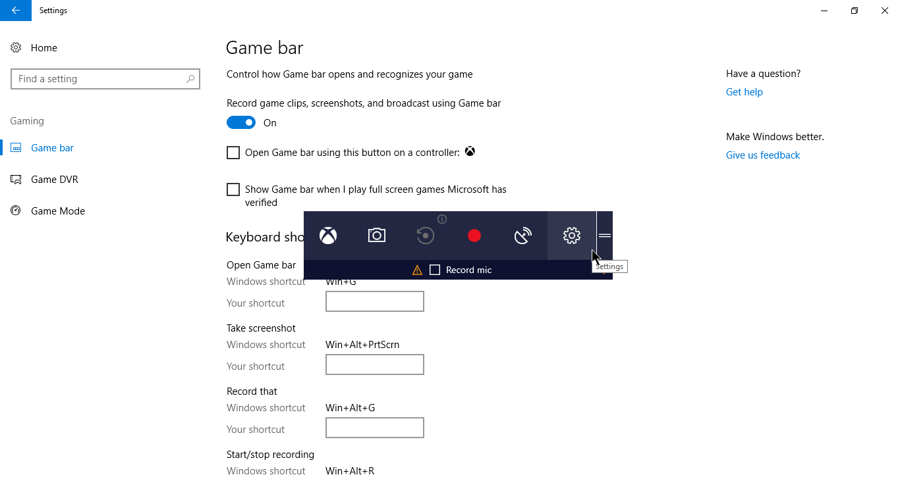
Press camera icon your screen shot is saved in your computer.
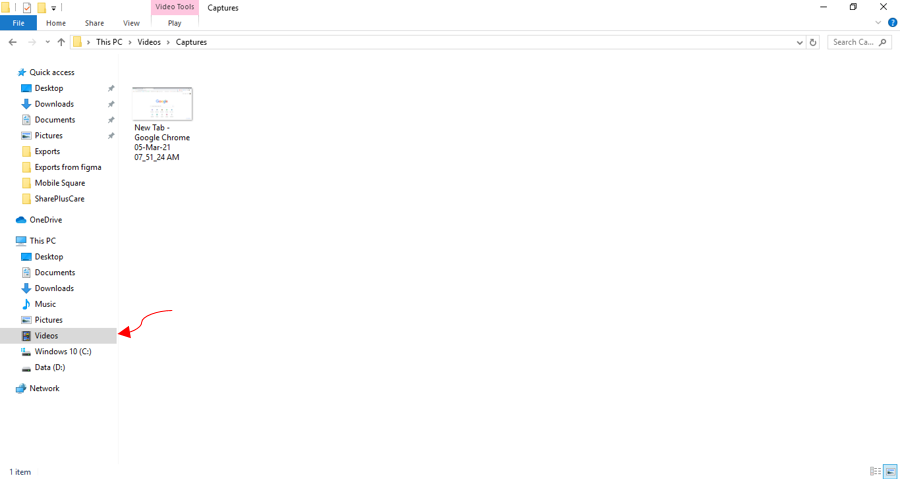
To check the screenshot press Window + E go to Videos > Open captures file > you will find it there.