How to record screen without downloading any software
How to record screen for gaming or any purpose for free on windows 10?
Every windows 10 come with in built screen recorder. It is called “Game Bar”. It can record screens and take screen shots of your computer.
Follow these simple steps to use window’s built in recorder:
1-Turning on recording option:
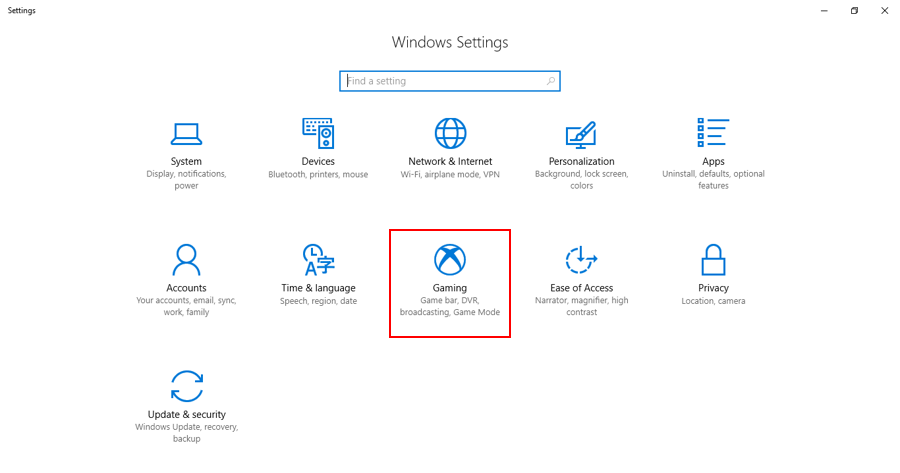
Press windows key > click on setting icon > select Gaming > you will find this page
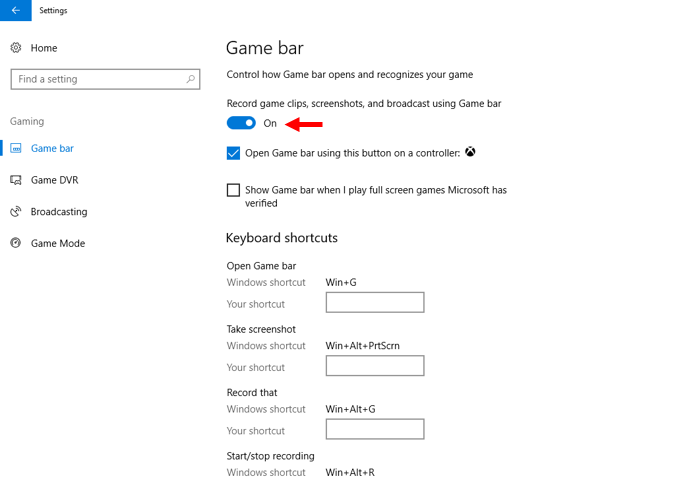
Make sure Game bar is on. You make use of shortcuts and you can also change the default shortcuts to any key you want.
2-Turning on Microphone:
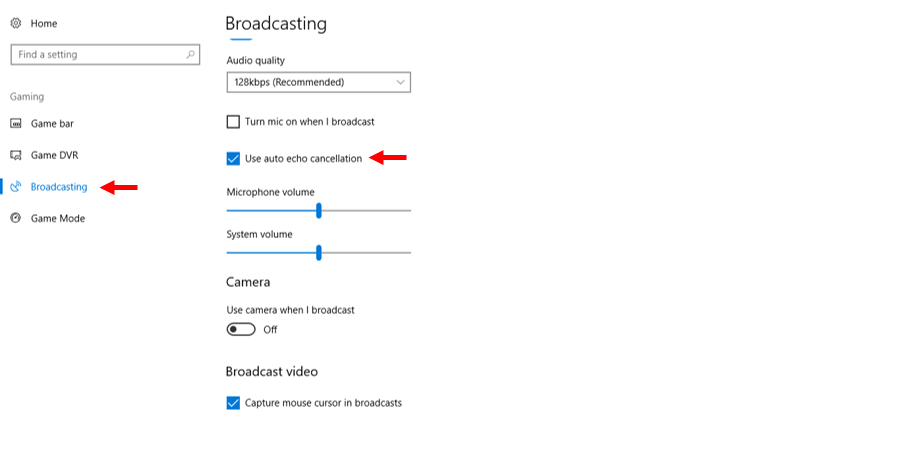
If you want to record along with screen you can do so by going to broadcasting option (in the same page).
How to start Recording
Press window + G, it will pop up this window.
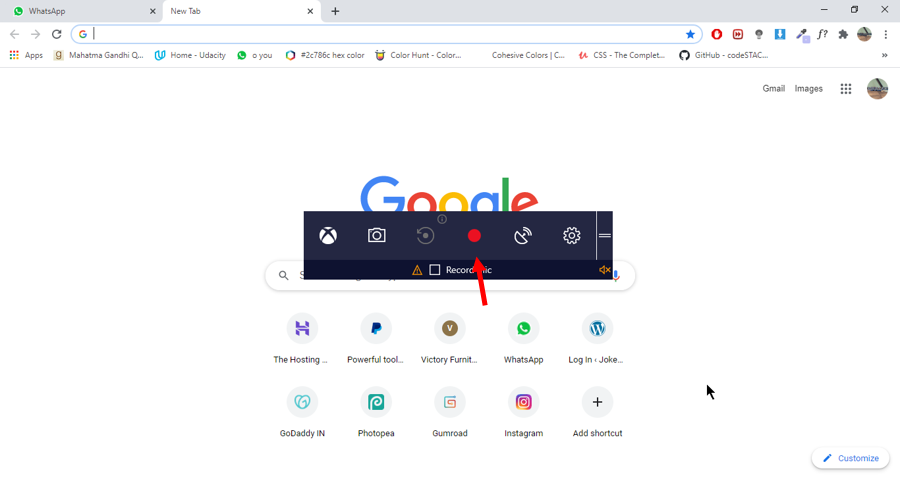
Press red dot to start recording.
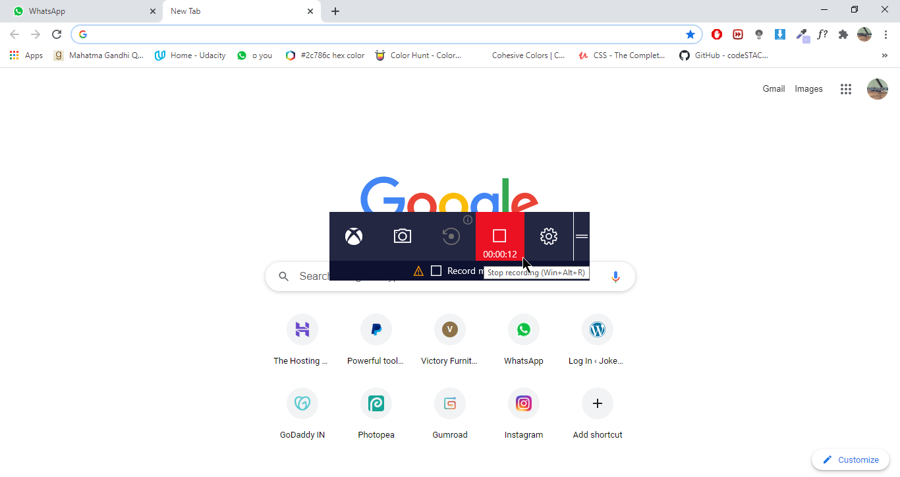
To stop recording press square icon or Window + Alt +R.
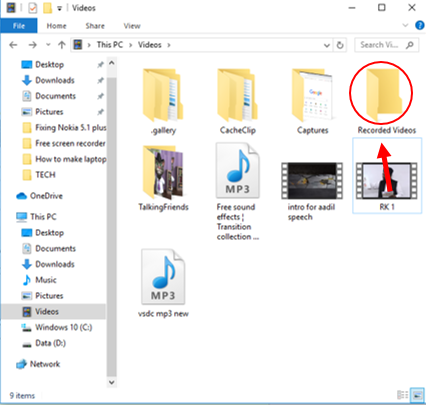
TO check the recorded video by screen recorder press windows + E > go to videos folder > your recorded video will be in capture folder
Windows built in recorder is ideal for recording games, browser screen, screen of any software etc. It has some shortcomings like it cannot record 4k and cannot record the screen of file explorer etc.