A free screen recorder that allows to draw on screen and create sharable link
Do want to record your screen professionally with drawing option and share it online?
Loom tool allows you to record your computer screen with sound and edit it professionally. The most unique thing about Loom is that you can share the recorded video via link. Loom tool is available as a desktop app and a chrome extension as well.
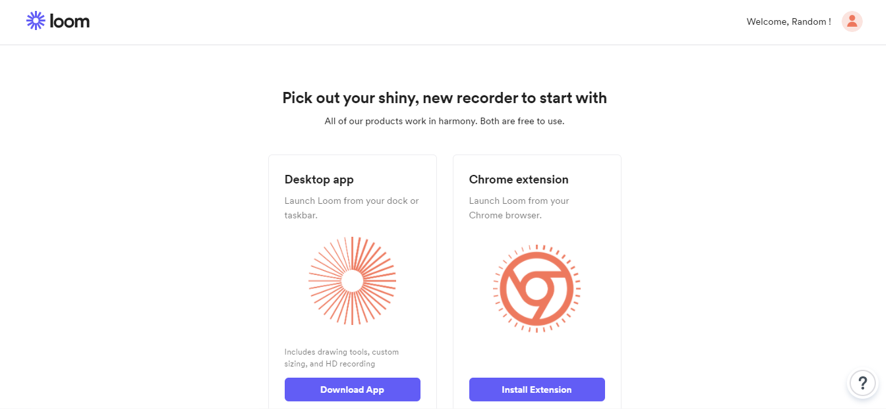
Head over their website create an account and download the software or install its chrome extension.
You find this interface after downloading.
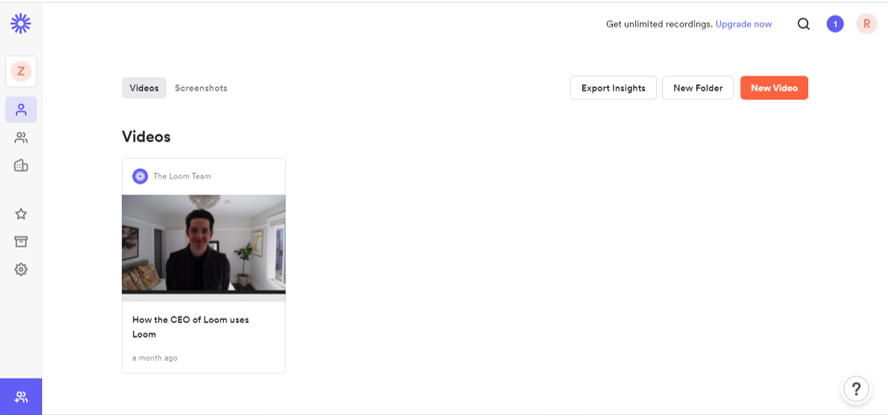
You can record your screen along with your face, to start recording click new video (You can upload an existing video in your computer to share its link)
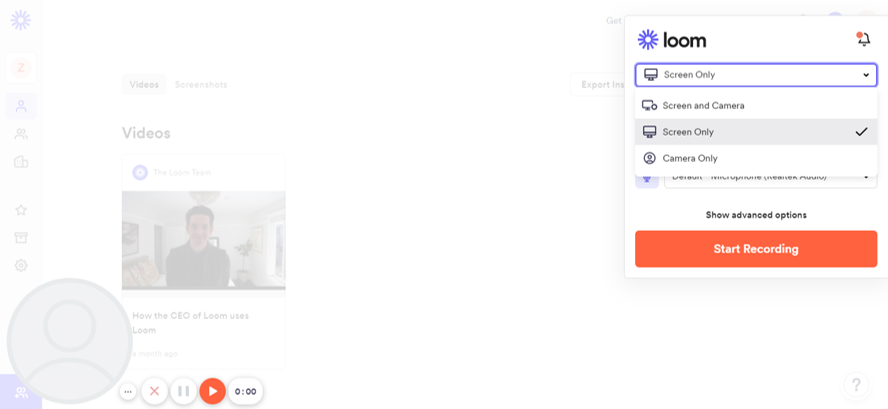
Select screen recording or select screen + camera option if you want to record yourself as well. You can just click mic icon to mute the voice (in case you don’t need the voice to be recorded)
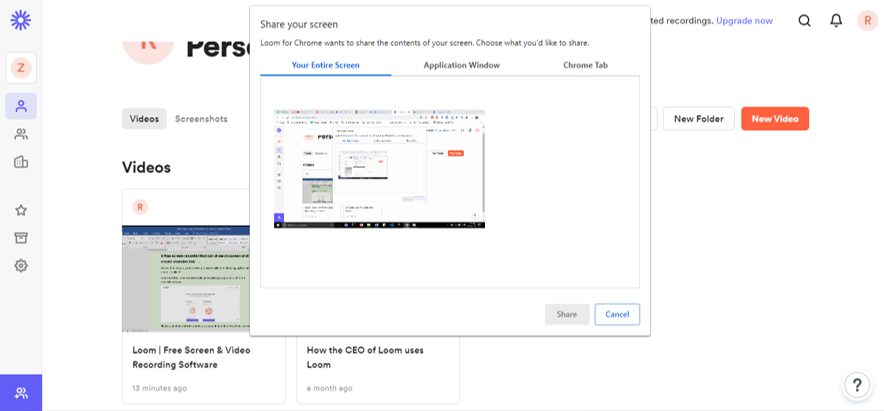
Select entire screen or you can only record a specific app window which is running on your computer (for example MS Word) and Loom will record that screen only even if you switch to another app.
After you finish the recording, you get the option of to trim the video.
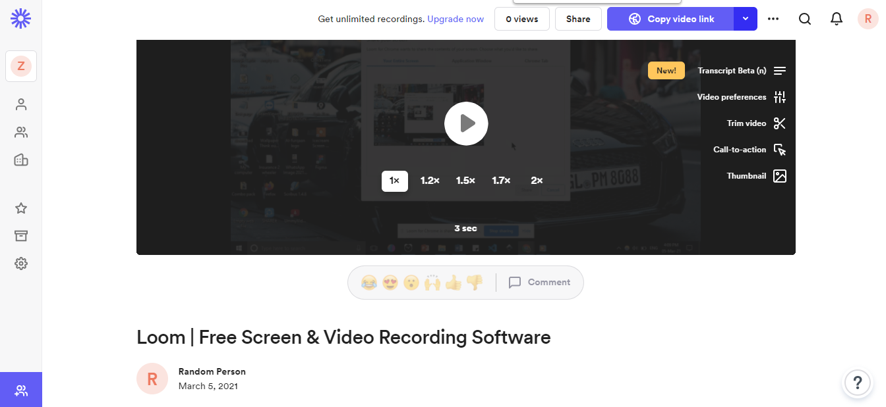
You can give your video a title, thumbnail, change the speed, and add call to action. Once you finish all settings you can now click share button which allows anyone to see this video whom you share with and allows them to add their comments and reactions on the video.
If you select educational purpose while creating account you get an additional option of drawing on the screen.
Loom tool which allows you to record your screen while giving presentation along with the video recording option. You can share your recorded video with your team or any one you wish with a sharable link.
Loom has desktop app as well, downloading desktop app would be recommended.
Link : https://www.loom.com/