Tips to make your Laptop/pc run faster than before
How to make your pc / Laptop run fast & How to fix slow performance of your computer?
Buying a new laptop or pc might not be the affordable option for all or some times even brand new laptops become slow after passage of time.
Following these tips will definitely make it better than before.
1-Delete temporary files
As you work on your computer, it makes some additional temporary files that has no use in your computer.
To delete temporary files in your computer press windows + R on keyboard and it will open up this small window.
Type temp in it and hit ok.
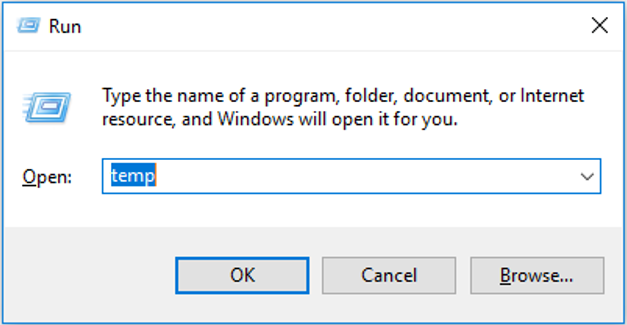
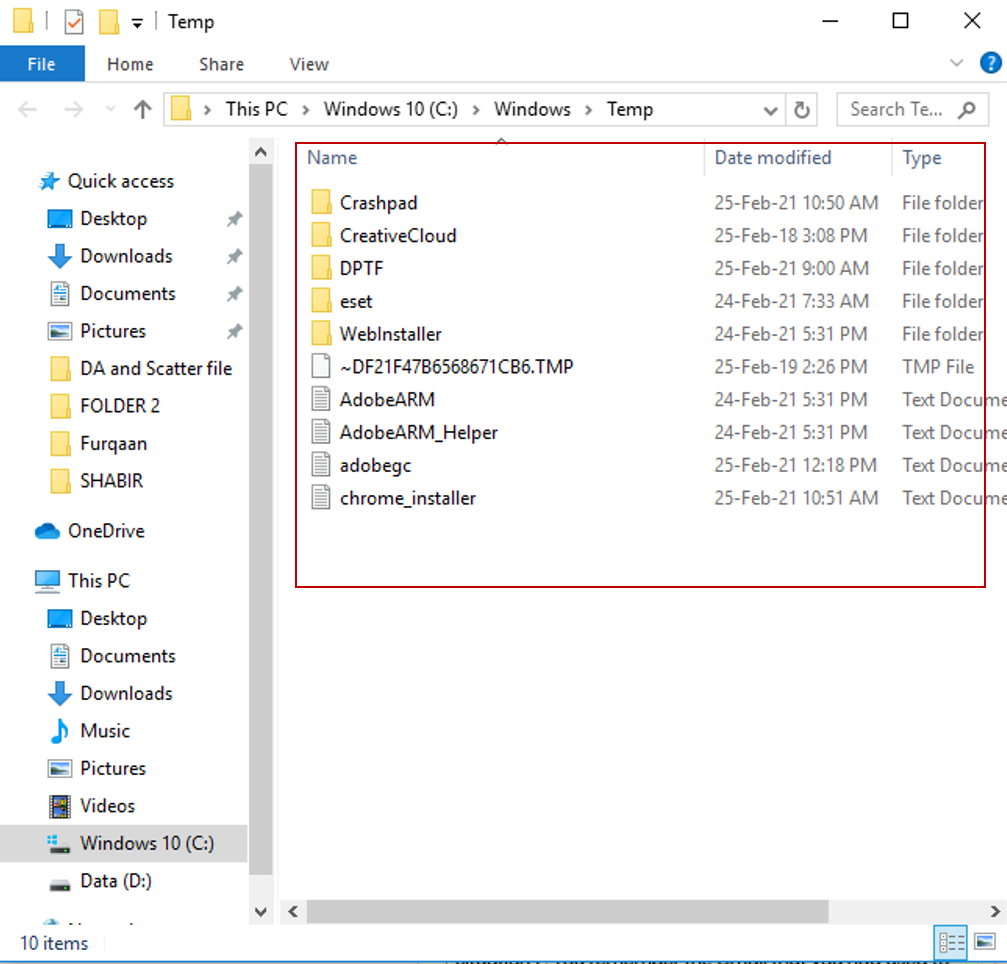
And delete all files appearing in that folder (Your computer will have different temp files and this image is just to show you what is in my computer)
This will delete all temporary files created in your computer which are completely useless and sometimes you will not be able to delete some files, you can skip them because some softwares in your computer might need them and won’t let you delete them automatically.
And again repeat the process by pressing windows + R on keyboard and it will open up this small window.
This time you need to type %temp% in it and hit ok
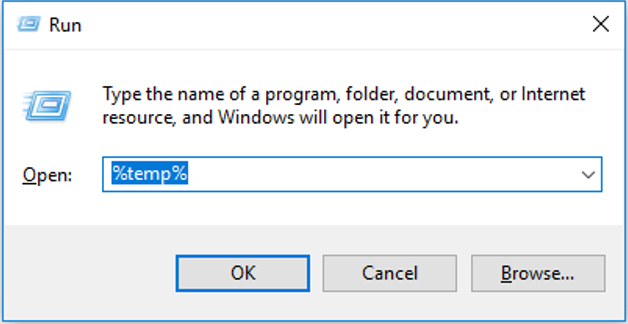
And delete all files appearing in that folder
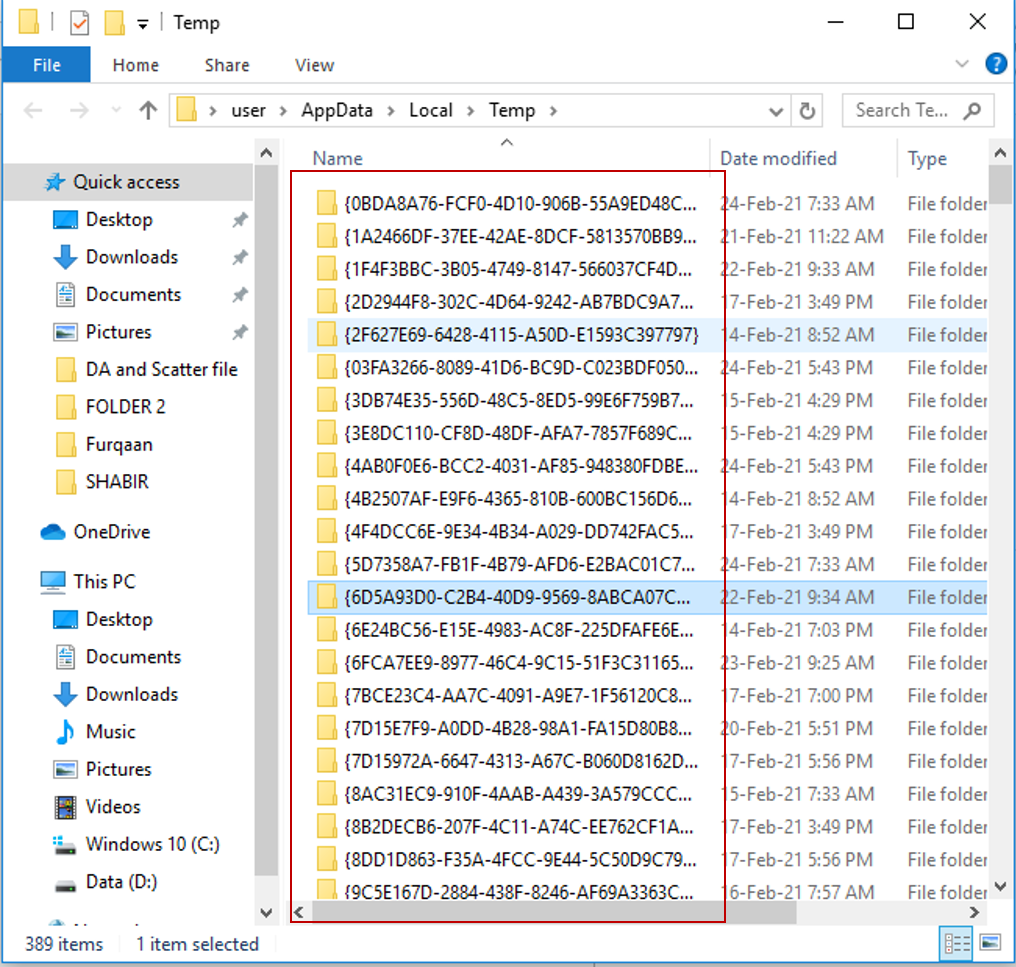
Select all files and delete them and if it asks admin access give it.
2-Free up space by uninstalling
If your computer is occupied by sofwares that are rarely used or not in use at all, uninstall them. This will free up some space in C drive.
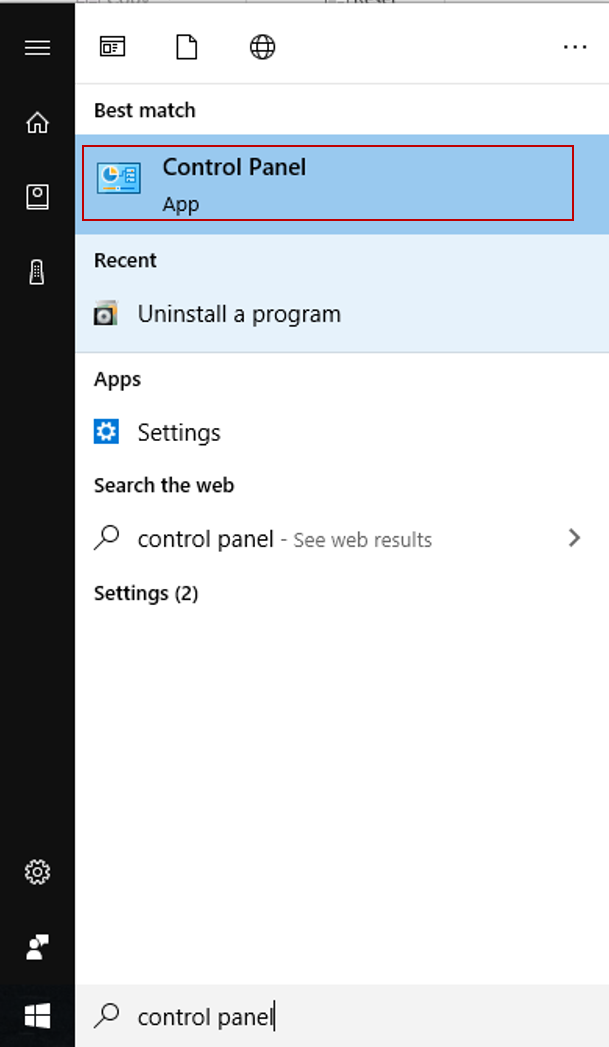
Press windows key and type control panel and open it by double clicking
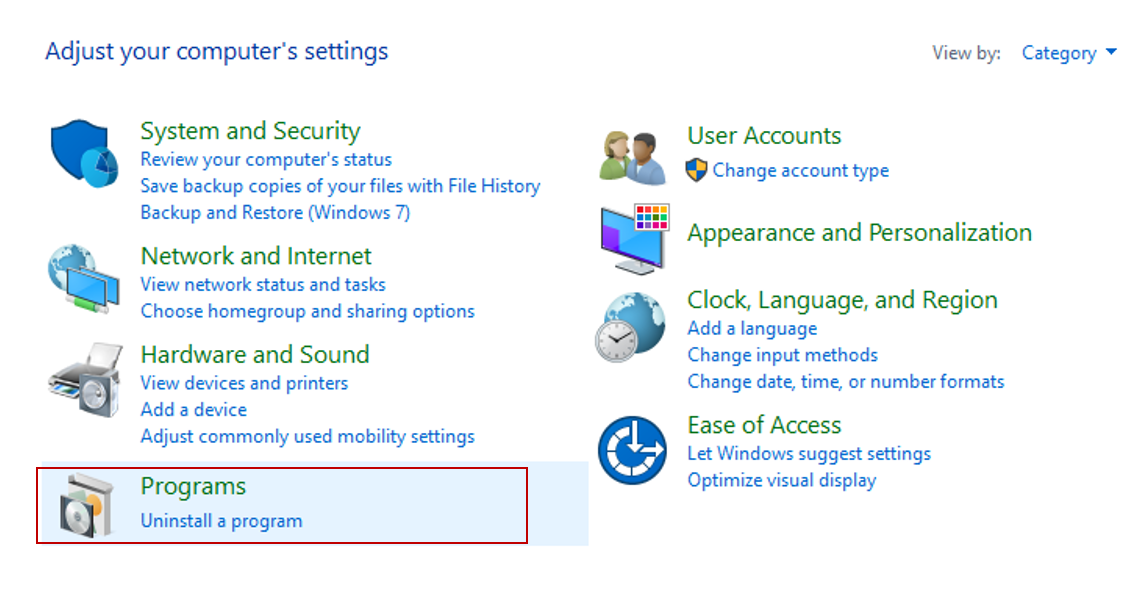
Select uninstall programs option at the end
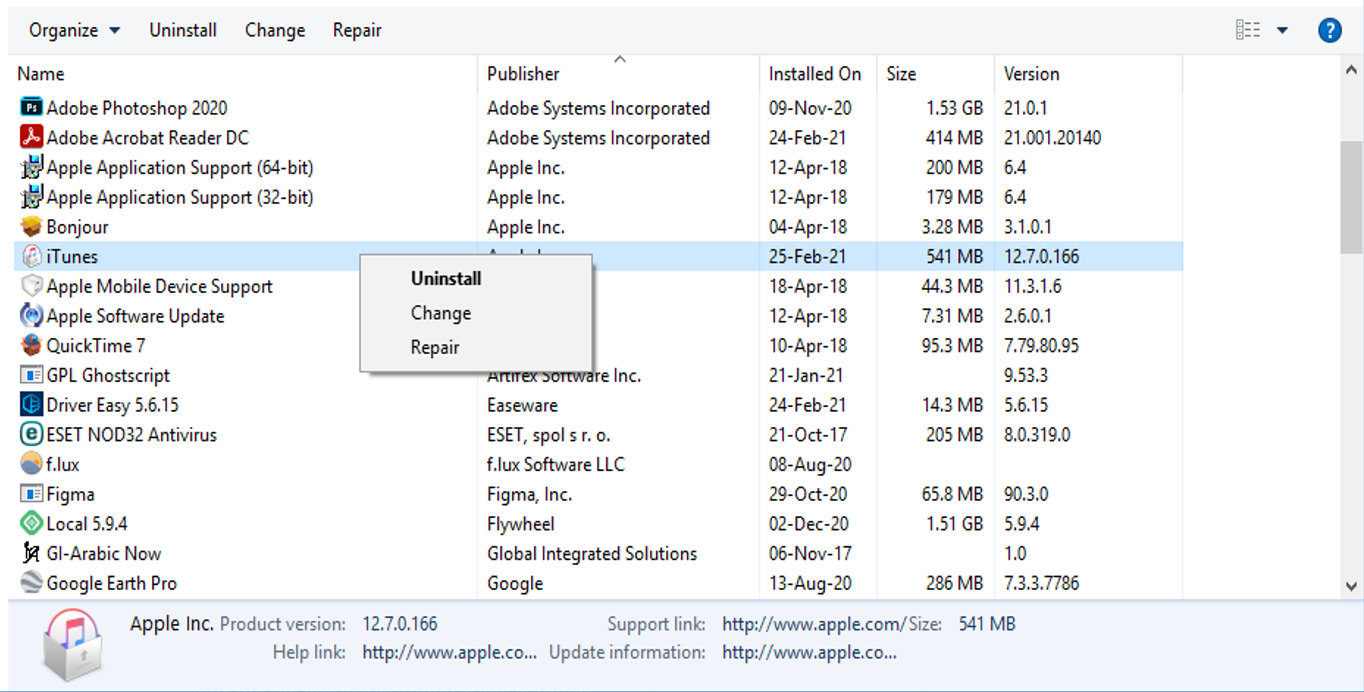
Uninstall programs that are not in use and make sure you don’t uninstall any useful software.
3- Disable power saving mode
Some times laptops with high configuration don’t give pleasant performance it might be because of enabling power saving mode which will limit the performance of your computer in order to save your battery life.
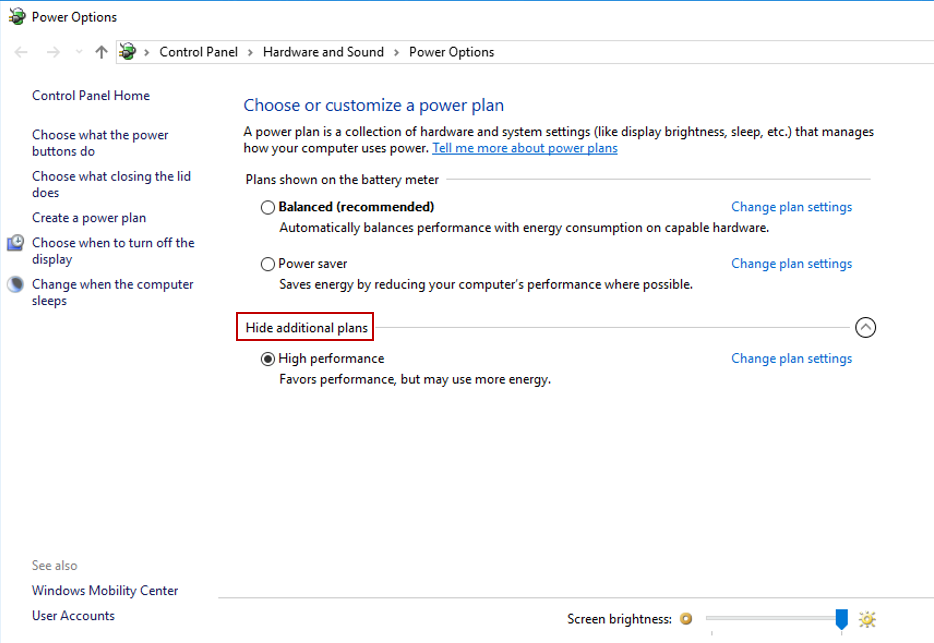
Press window key and type power plan and select “choose a power plan ” option.
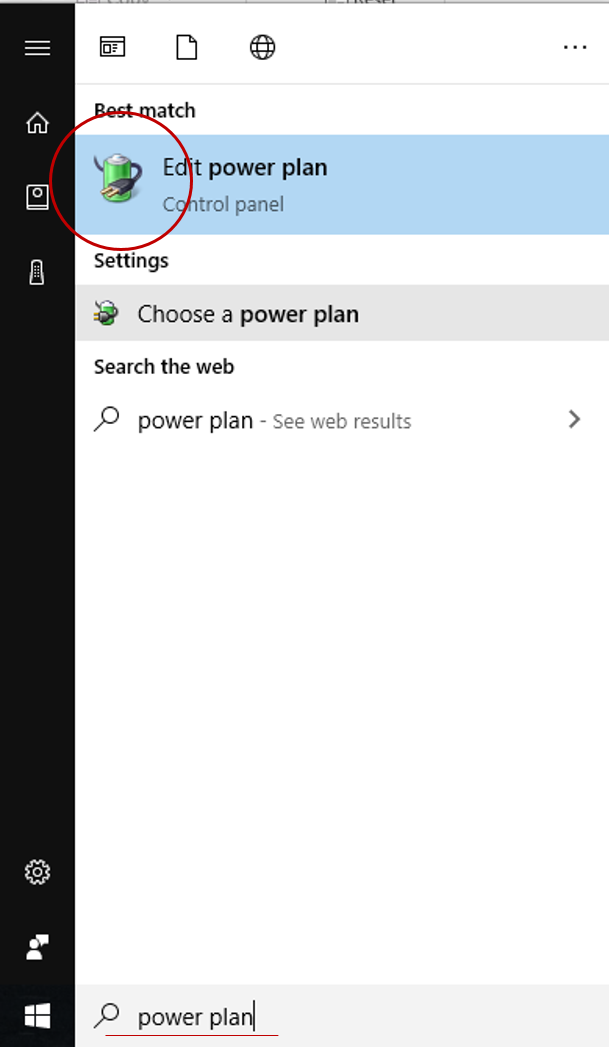
Click show additional plans and select high performance option. You can select balanced option as well if your battery is old.
4 – Install an antivirus
Some times the performance of your computer gets affected by a virus that might have entered your pc from any file you have downloaded from any random website on the internet or most probably you downloaded cracked version of any paid software and it was holding virus.
Clean up virus by installing an antivirus. Antivirus softwares are not free in most cases if you can’t afford them just try those who offer free trial of some days and you can get your work done in trial period.
According to me ESET antivirus is the best option if you are looking for a paid one.
5 – Cleaning the dust
Some times keeping your CPU cabin for a long time may cause dust to get inside of it. Especially if RAM gets covered in dust it becomes slow. So take some time to clean up your computer and keep it covered while not in use.
6 – Disable unwanted animations
By default every operating system has some styles and visual effects to give a better user experience. This might effect the speed of work so disable them if you complain to have slow performance.
Note that it will not cause any disadvantage to you.
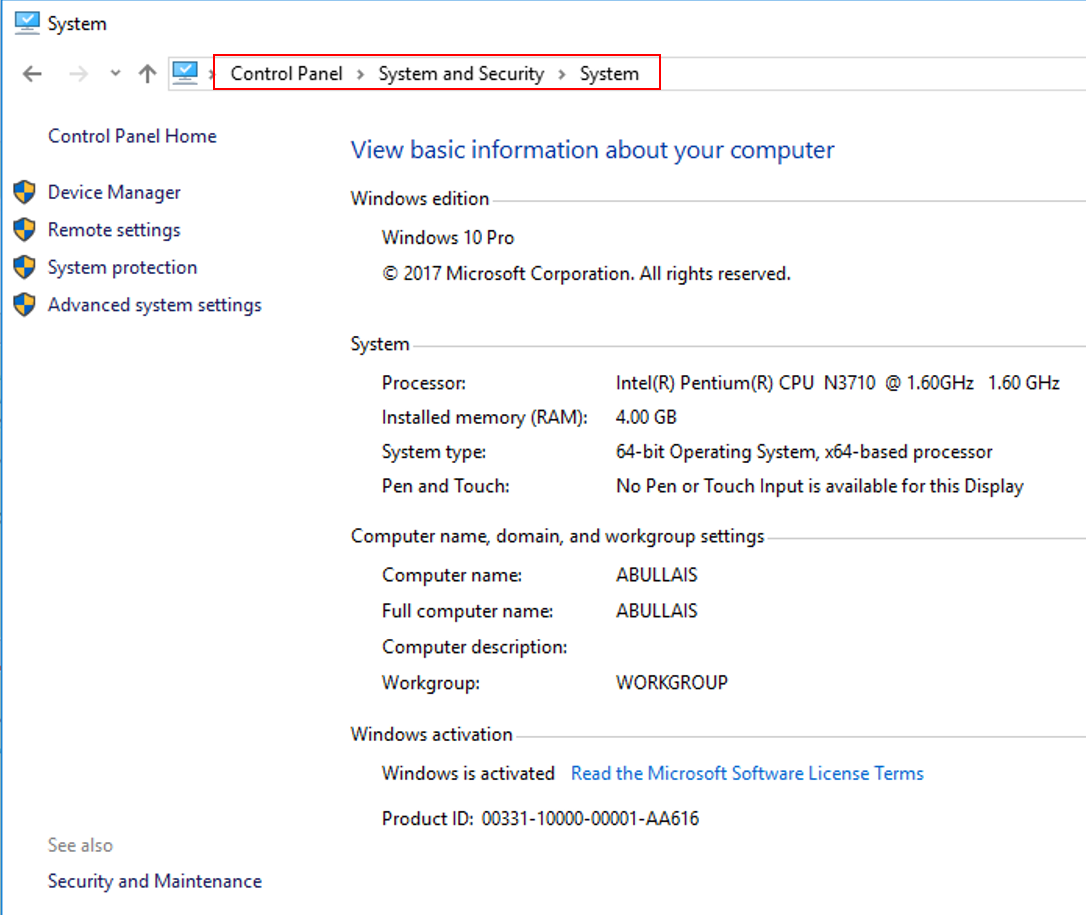
Go to control panel > select System and Security > select System > select Advanced system settings
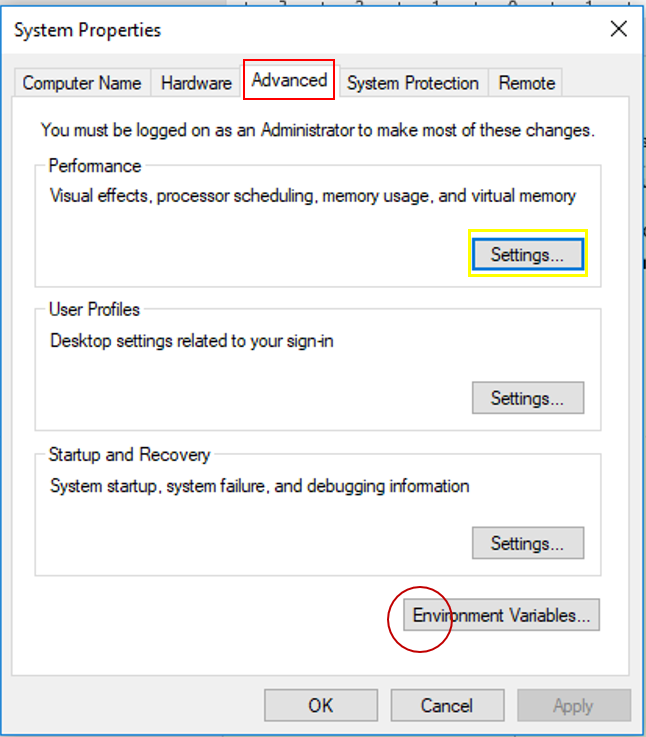
In Advanced tab > select Settings option in Performance
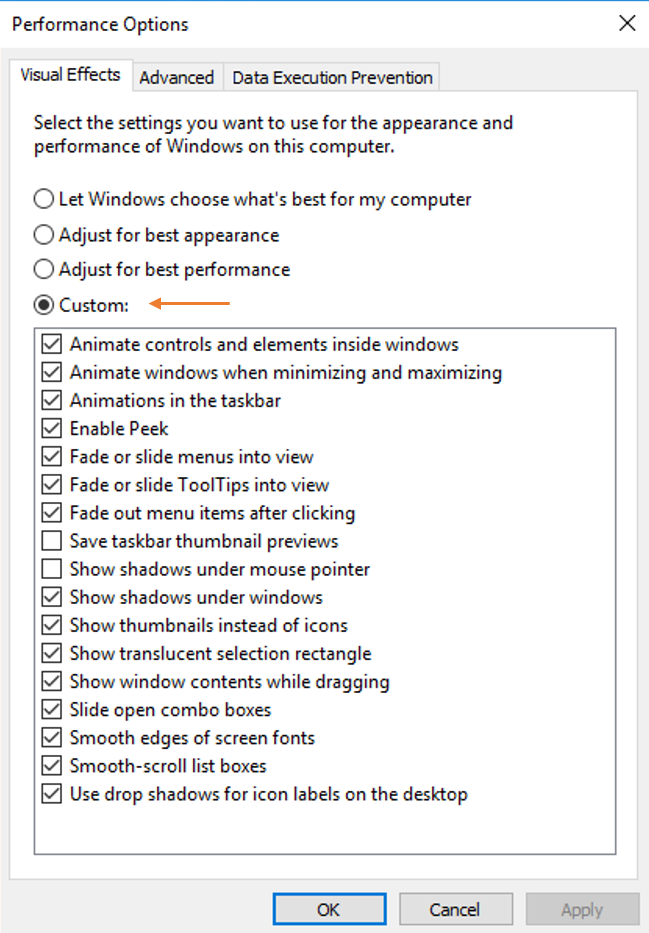
In Visual Effects > select Custom and unselect all options and click ok.
7 – Clean Up Disk
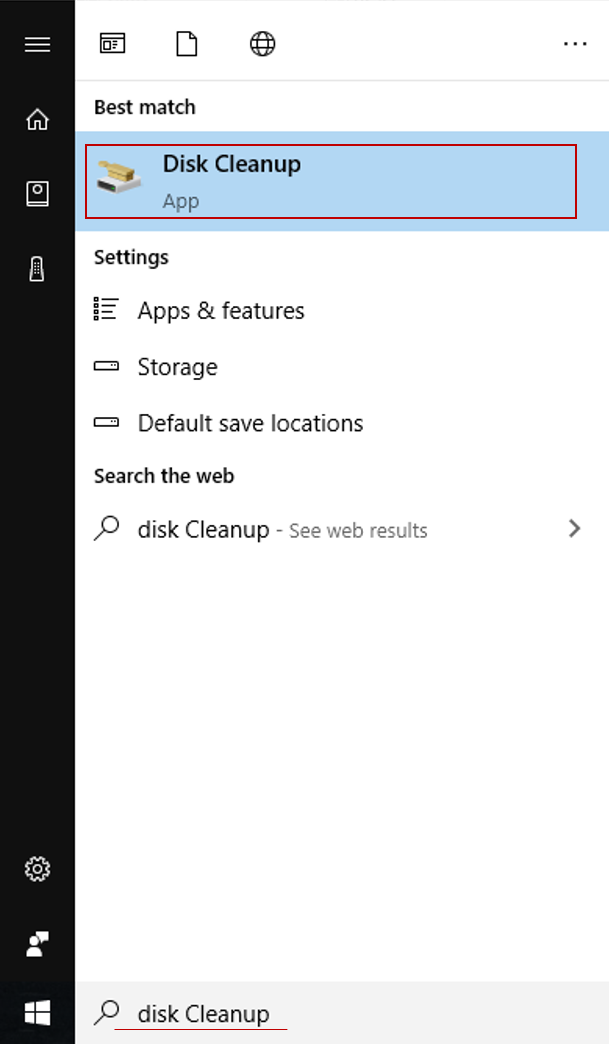
Press window on keyboard and type Disk clean Up and open it.
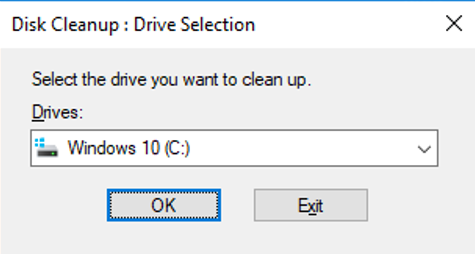
Select drives one by one to clean up each.
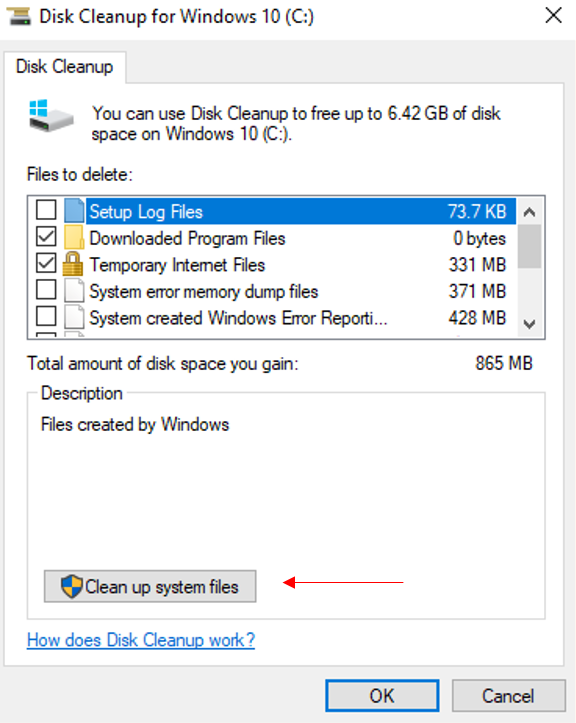
Select Clean Up system files (No need of selecting any option )
Bonus Tips to make your computer faster
- Try replacing your Hard Disk with a SSD (Solid State Drive) which is 5 times better than Hard Disks.
- Increase your RAM if possible.
- Increasing disk space might help in making computer run faster as well. For example if you have 500GB of Hard Disk , upgrade it to 1TB
- Installing cracked version of Windows might result in performance issues so try to buy licensed operating system with product key.
- Know the capability of your computer, do not expect too much from low configurations. If you wanted to run heavy programs with low configuration.
- Never buy used laptops that are too old or used too much. Buy only after knowing the usage of the computer.