How to Open .EPS file in Inkscape (Windows)
How to open eps files in inkscape. Follow these steps easily.
There are two methods
1- Adding an script to Inkscape (Recommended)
2- Converting eps to svg through online tools
Method 1
Inkscape by default does not allow eps file to be open in windows (hopefully they add this feature in future).
Requirements:
- Ghostscript
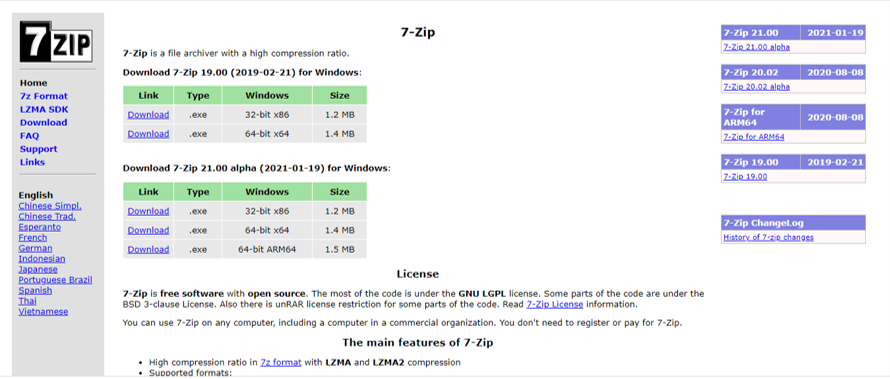
- 7 zip
Step 1
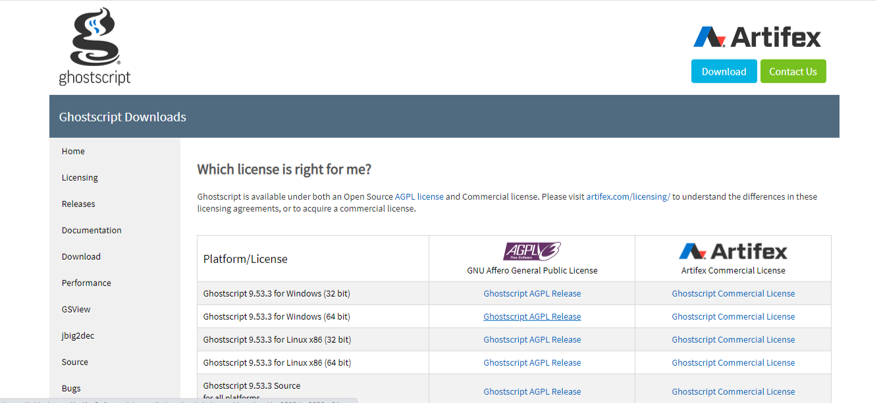
Go to Ghostscript website and download the script
Link: https://ghostscript.com/download/gsdnld.html
Select your version of windows 32bit or 64bit
Step 3
Select ghost script file that you have downloaded and extract it using 7 zip.
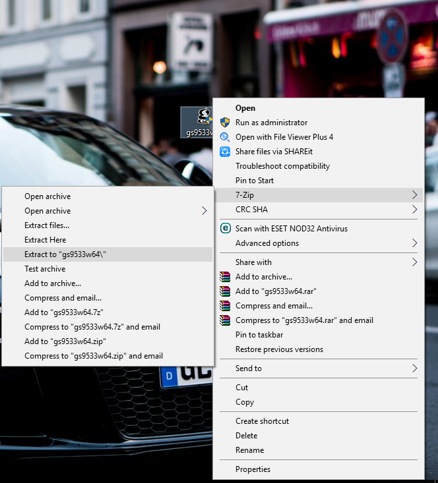
Select Yes to All
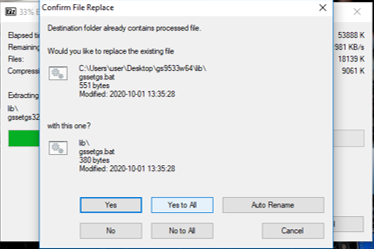
Step 4
Now you see there are lot of files in this folder but we only require the content of two folders “bin” and “lib”
What we will do is we are going to rename the bin to gs
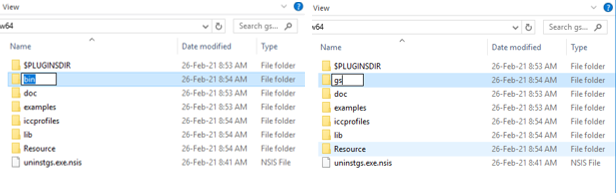
Take all files in the folder lib and copy them
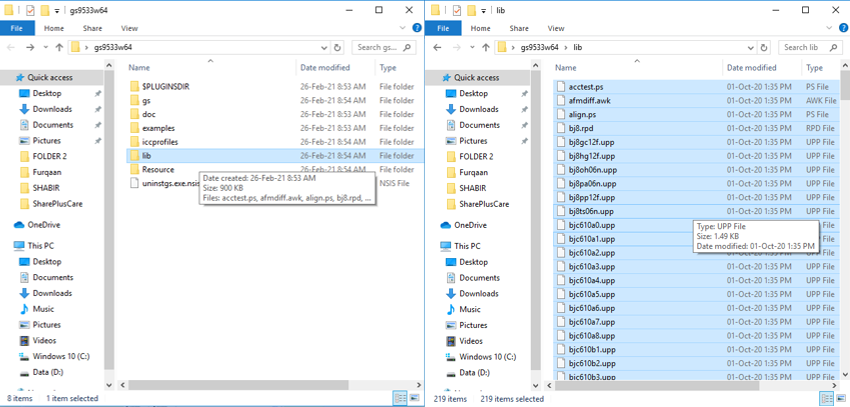
Paste them all in gs folder (which we have renamed)
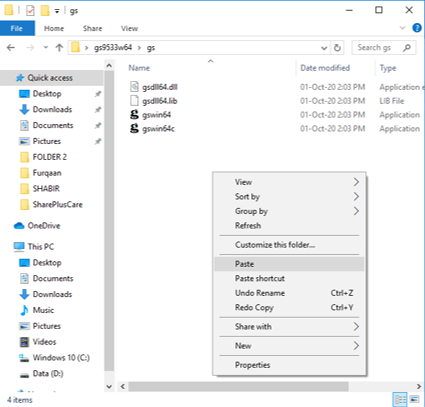
Now we have collected all we need in one folder that is gs and we don’t need rest of folders so you can delete them all.
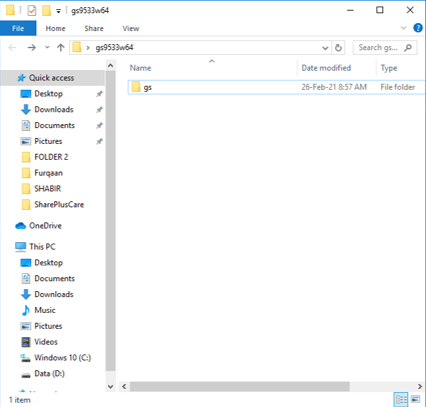
Your gs folder should be kept in C drive, so take it to C drive as we will link it to inkscape software (within pc).
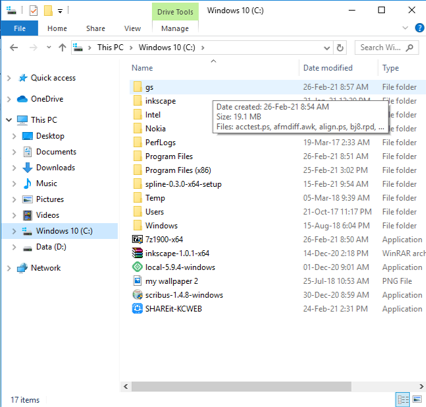
Step 4
Linking that gs to inkscape.
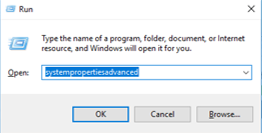
Press windows + R and type systempropertiesadvanced (will ask admin permission)
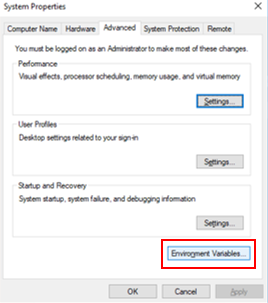
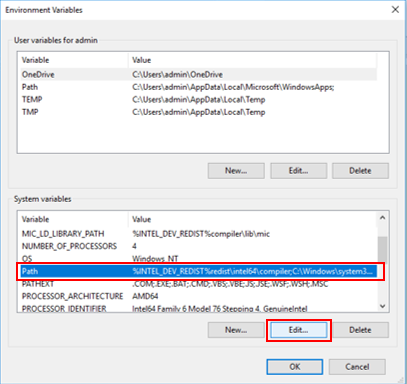
Select Environment Variables..
In System Variables > select Path and click edit
Click New and type C:\gs it will link that gs file(which we had created before) to inkscape
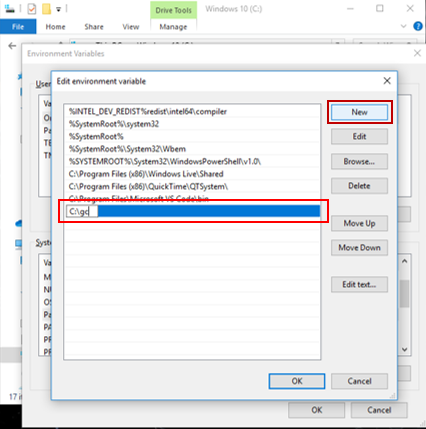
Click ok and restart your inscape.
Congrats you will be able to edit eps fie in inscape.
Method 2
If you don’t want to go through all of that complicated stuff, there is an easy alternative too.
There are many online tools that can convert your eps file to svg.
Convert eps to svg using this website
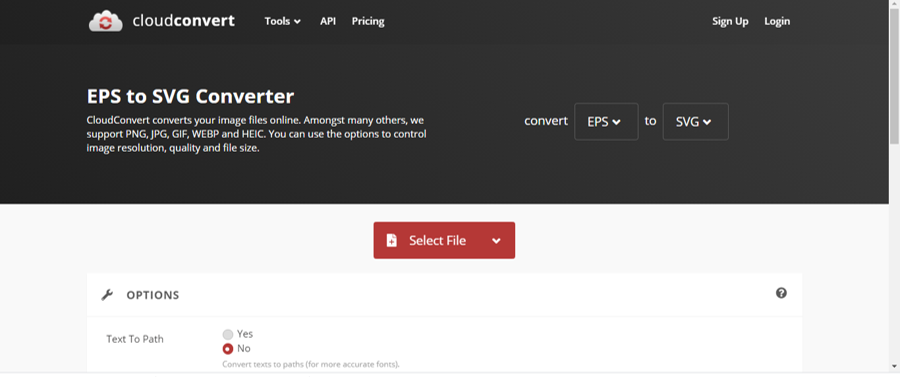
Link: https://cloudconvert.com/eps-to-svg
Upload your eps and get it converted into svg and edit it in Inkscape.
However online tools should not be used because of privacy issue. If you have a file that you don’t have problem to be shared with open resources then you can use this method. However take some time and use first method which is more reliable and also recommended by Inkcape.