Google’s new web story plug in for WordPress
Google has introduced a brand new plug in for WordPress which allows you to create short stories with visuals.
Web stories plug in:
Google has added a new feature to its search results that is short stories. We know short stories are everywhere in Facebook, YouTube, WhatsApp and Instagram etc. One of main reason for the growth of Tiktok is short videos because human nature loves what is brief and short.

Googles web stories is similar to WhatsApp’s stories(status) where it has the option of play and pause for slides and you can add the sound on the slides.
You can share the link of the stories your social media as well.
Which is the best Google story?
The best story according to me is the one with brief explanation of your thought with relative visuals. Don’t put irrelevant images and unnecessary music. Make the content interesting so that the reader can stick till the end.
Where Google’s web stories appear?
The stories can be added to any part or section of your web page or blog page for example it may appear in your home page, blog page, in between articles etc. These stories are open source which means any one can copy the code of your story and embed it into his website. The owner of the stories has the chance to delete the stories any time he wills, when the owner deletes the story it will be deleted from all website where it was added by you or others.
How to create Google web stories
Follow these step to learn how to download the plug in and start creating web stories.
Step 1
Install Web Stories plug in WordPress dashboard and activate it.

Step 2
After activating the plug in select stories and select create new
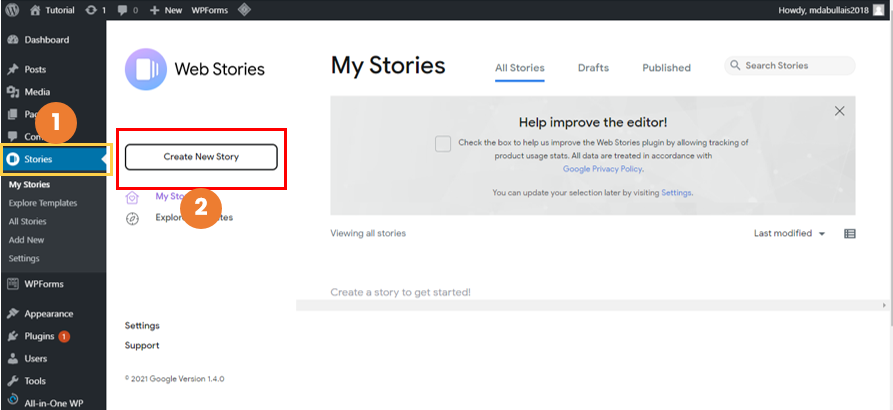
Step 3
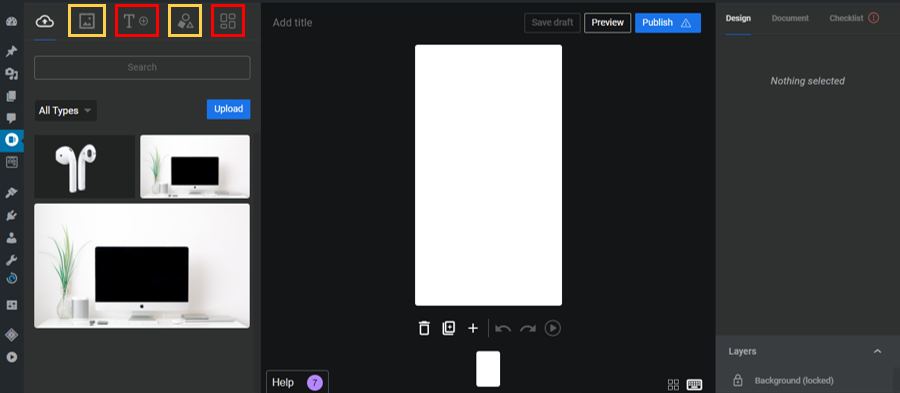
You will find this interface. There will be an example of premade story. You can add text and change its style. There is an option of uploading your ow images from you’re your computer. Google recommends to avoid text embedded images (means it is better to import plane image and add your text here in web story). You can also import videos and GIF’s files and there is a library for it as well.
What should be the size of image, video and GIFs in web stories?
You must have the minimum size of (640px X 853px) and you can increase the size but it should be in the ratio of 3:4. So make sure you have 3:4 ratio for images and videos you can use any online tool which converts pixels with ratio.
There are premade templates with images and text you can make use of them.
Step 4
Once you have finished the design click publish and read the checklist and click publish.
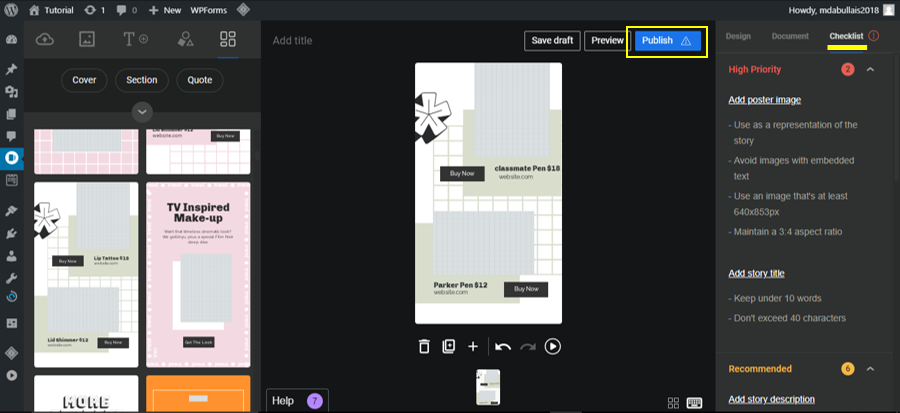
After you publish it, it will be saved to your stories dash board. Go to stories > My stories
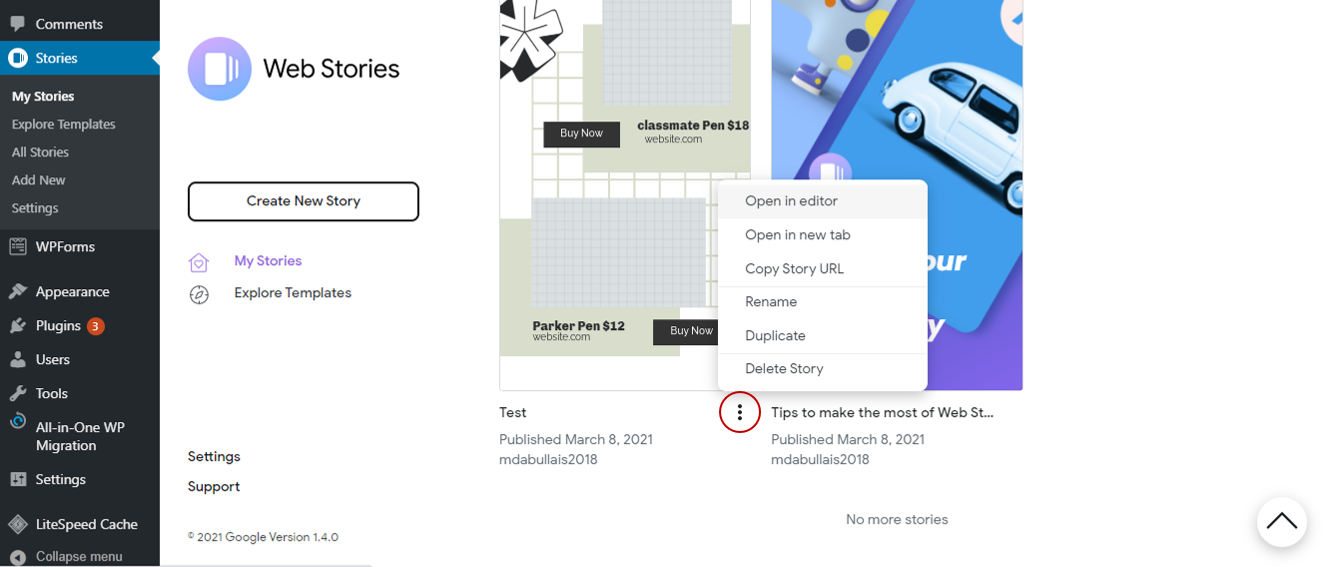
Click three dots on your story and copy url and now go to your pages where you want embed this story. When you select add new block option on your page you will get web story block, select it and copy the URL of your story and boom your story has been added successfully.
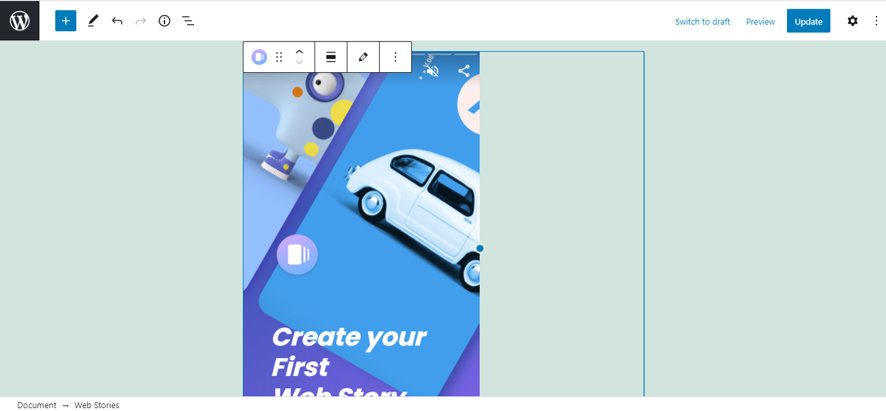
Not able to copy web story url in Google’s web stories WordPress plug-in?
If you are trying to copy the url of your web story and paste it, the url is not getting pasted then try to open the story in a new tab and copy its url from the tab you will be all set. As it is shown in the image below.
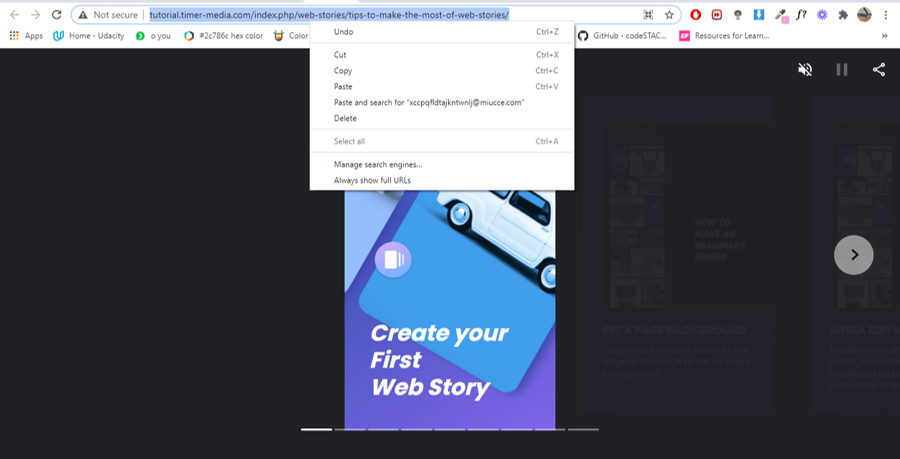
This procedure works for all kinds of WordPress website with all theme builders like Divi, Elementor, wp-bakery etc.
Tips for making good Google web stories:
- Preplanning: Write the content first in a notebook for what you are going to share.
- Make use of caption for images, videos.
- Use motion graphics and GIF’s.
- Make first slide of the story interesting so that the viewer could stick till the end share it on social media if they find it to be helpful.
- Make it a source for attracting the visitors and gaining to your website or blog.
- Make stories of products with affiliate links and share them on social media (not exceeding the limit with too much links) so you can earn money by affiliate plans.